Case study · 01 / 04

Tersus.

Two users. One platform.
A cleaning marketplace, designed end-to-end.

Mobile App & Web Sole Designer ~1 Year
Role
Sole Product Designer
Team
1 designer · 4 eng · 1 PM
Timeline
2023 — 2024
Platform
iOS · Android · Web
Tools
Figma · Dev Mode · Jira
— 01 / Context

A two-sided marketplace for home cleaning — instant booking on one side, real job tools on the other.

Most cleaning services make you hand over your phone number before you ever see a price.

Tersus was built to change that. Customers get transparent, self-serve booking. Cleaners get a dependable system for finding nearby work, understanding each job before accepting, and managing the clean itself.

I joined as the sole designer and worked across the full product — mobile app and web, both sides of the marketplace, from first wireframe to developer handoff.

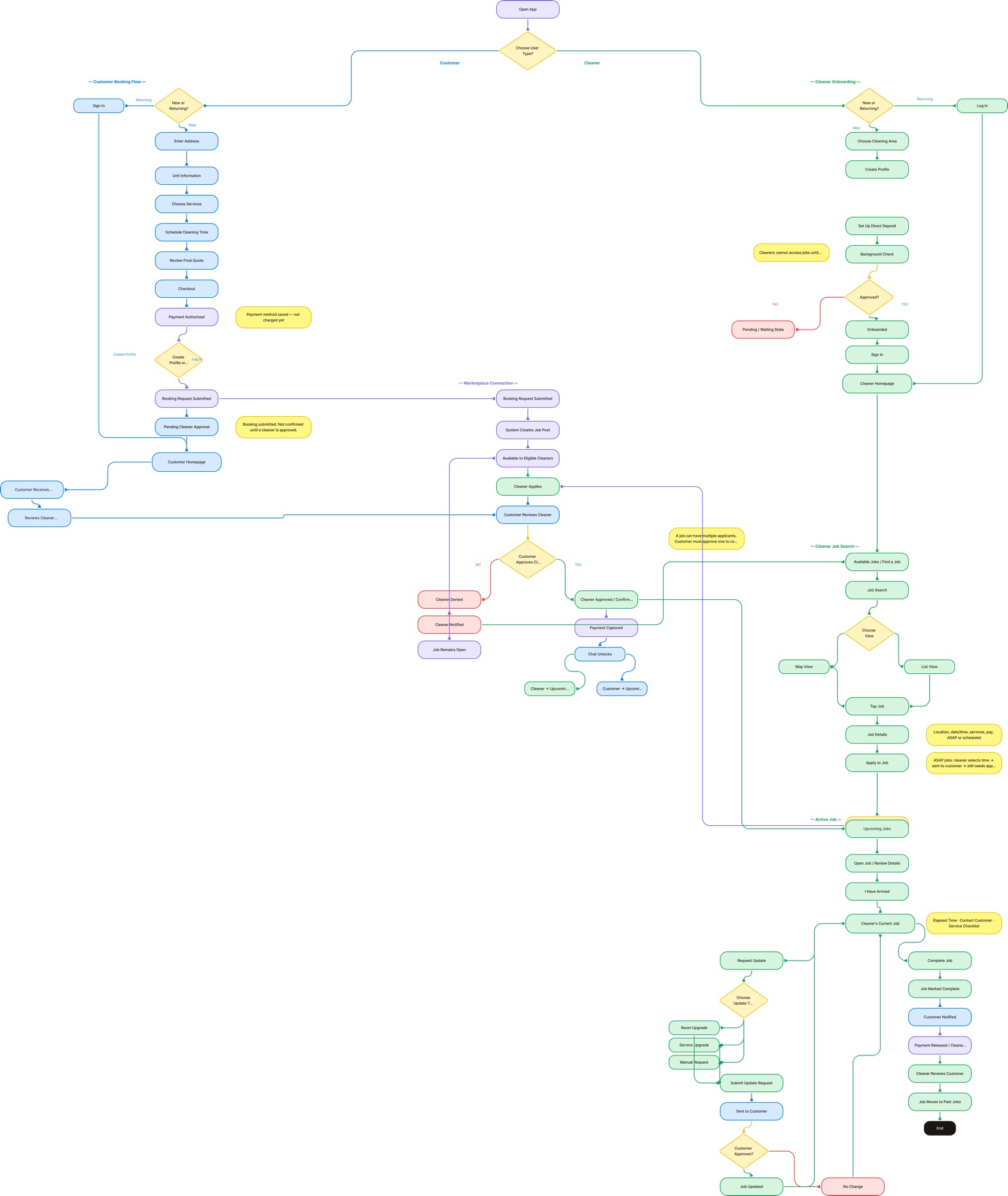
Hero · Full Flow Mosaic Zoomed-out Figma canvas showing the customer flow (left) and cleaner flow (right) side by side — establishing the scope of the system.
Two products, one design language. Customer-facing flows on the left, cleaner-facing flows on the right — every screen on one side has a counterpart on the other.
— 02 / The Challenge

Two completely different users. One design system.

Every decision had to work for two opposite mental models — and survive the move from mobile to web midway through the project.

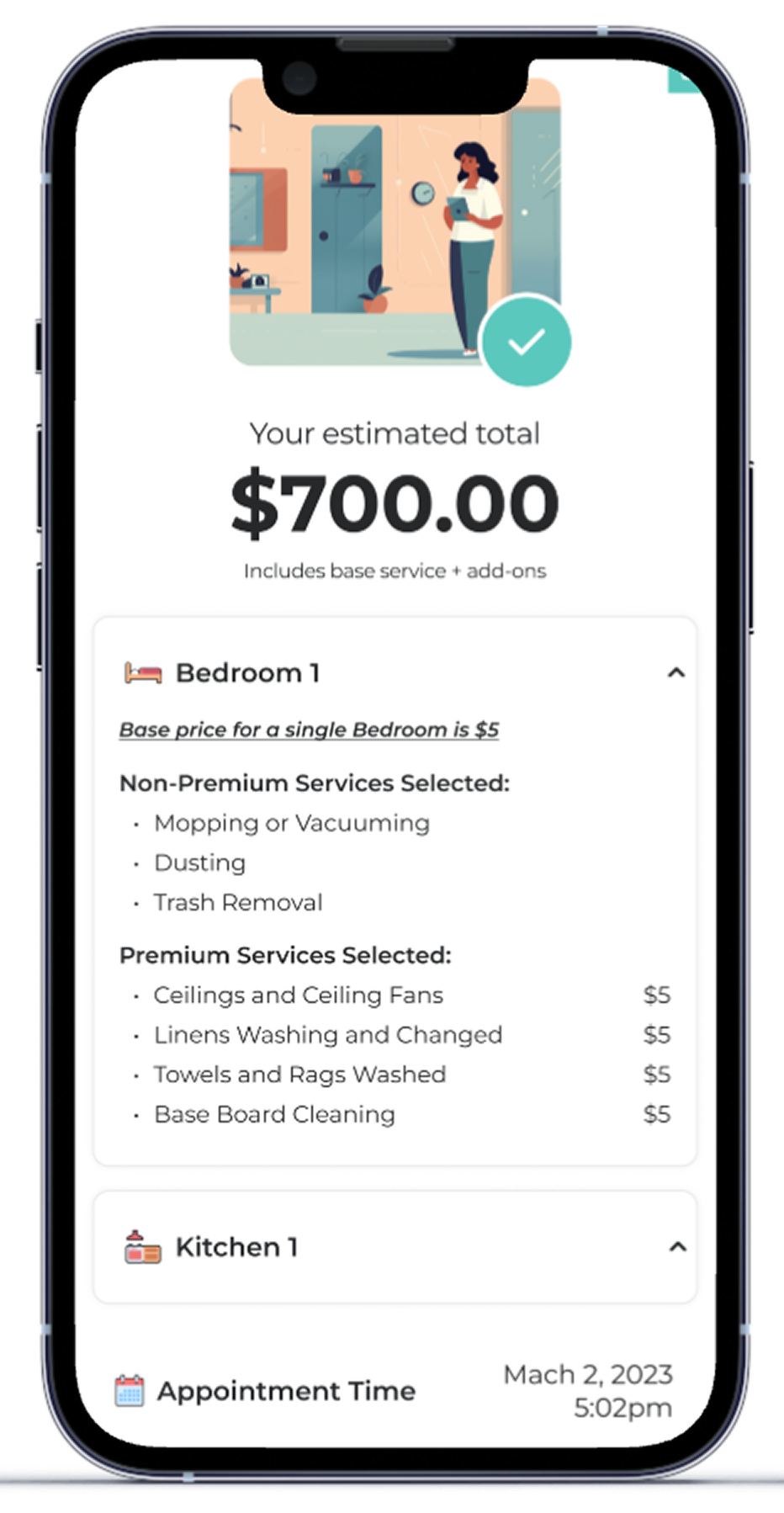
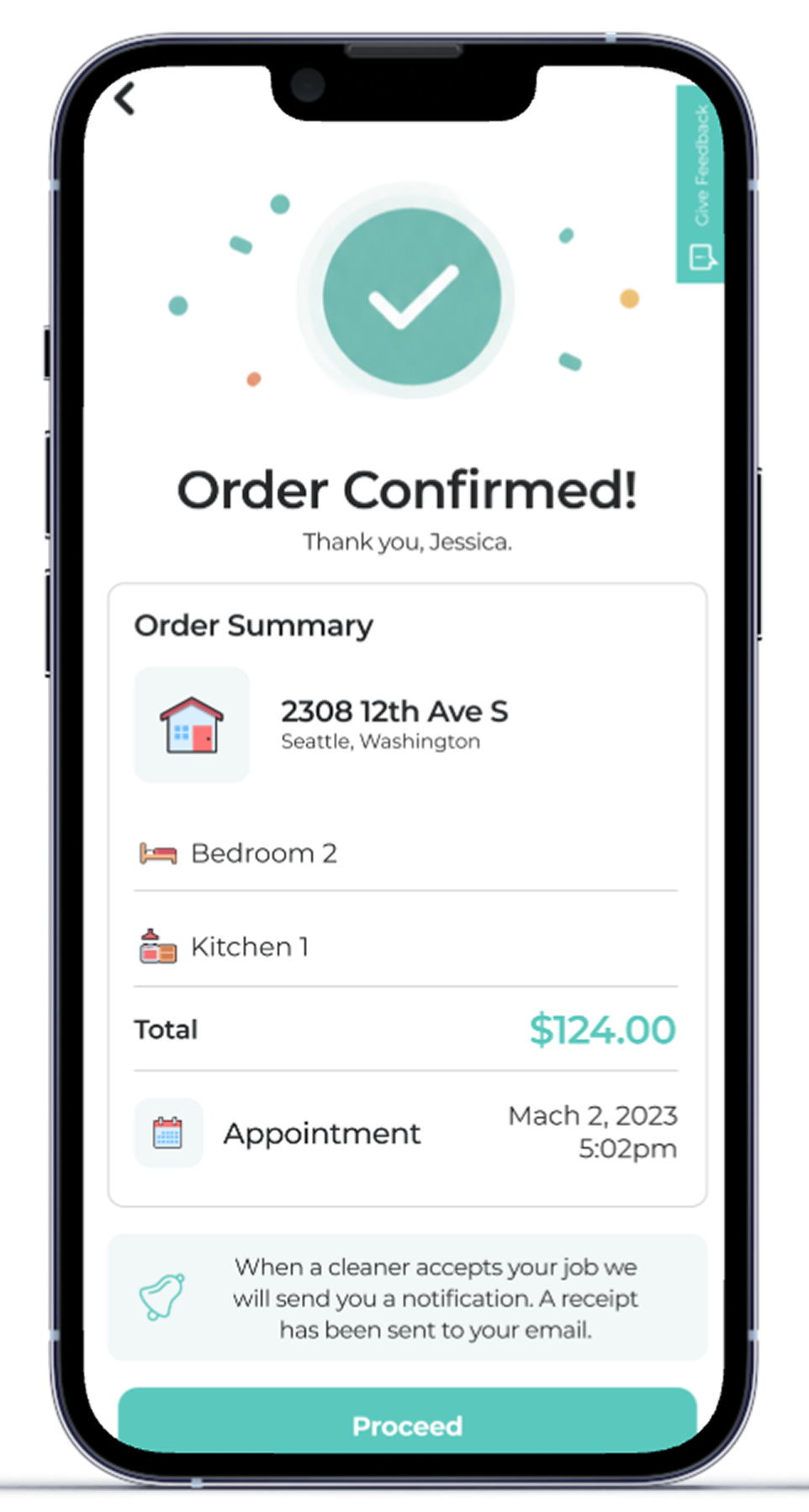
Customer · Final Quote Booking confirmation screen — itemized pricing breakdown, transparent total.
The Customer

Wants a price, fast.

See real cost upfront, configure a service, confirm in minutes. No contact forms. No waiting for a callback.

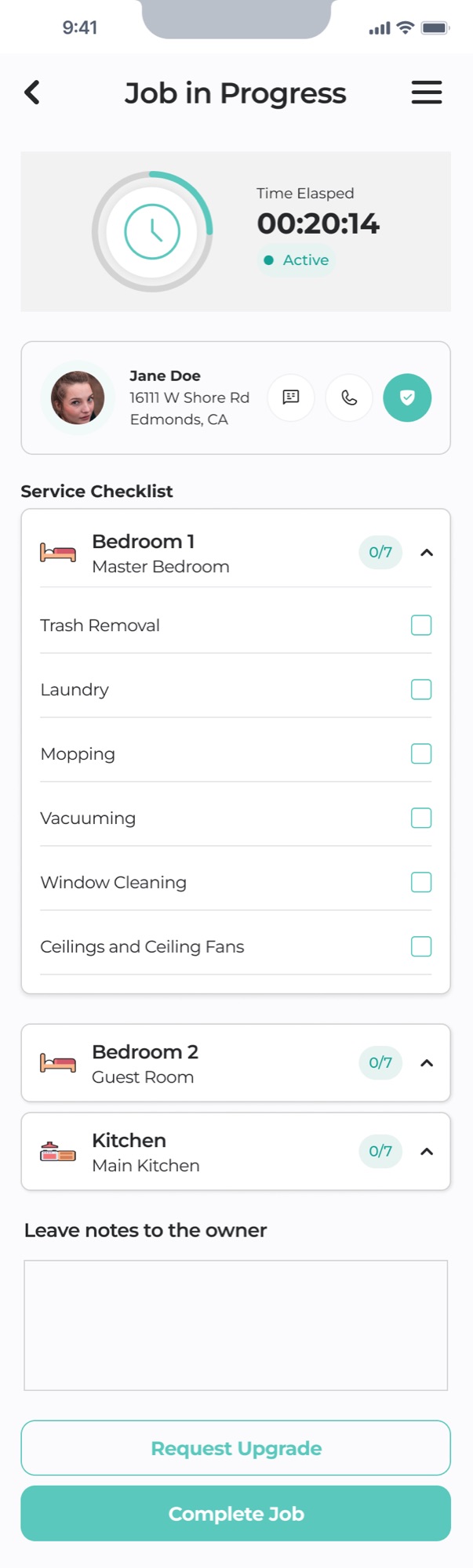
Cleaner · Current Job Active job screen with timer, checklist, and customer instructions.
The Cleaner

Wants reliable tools.

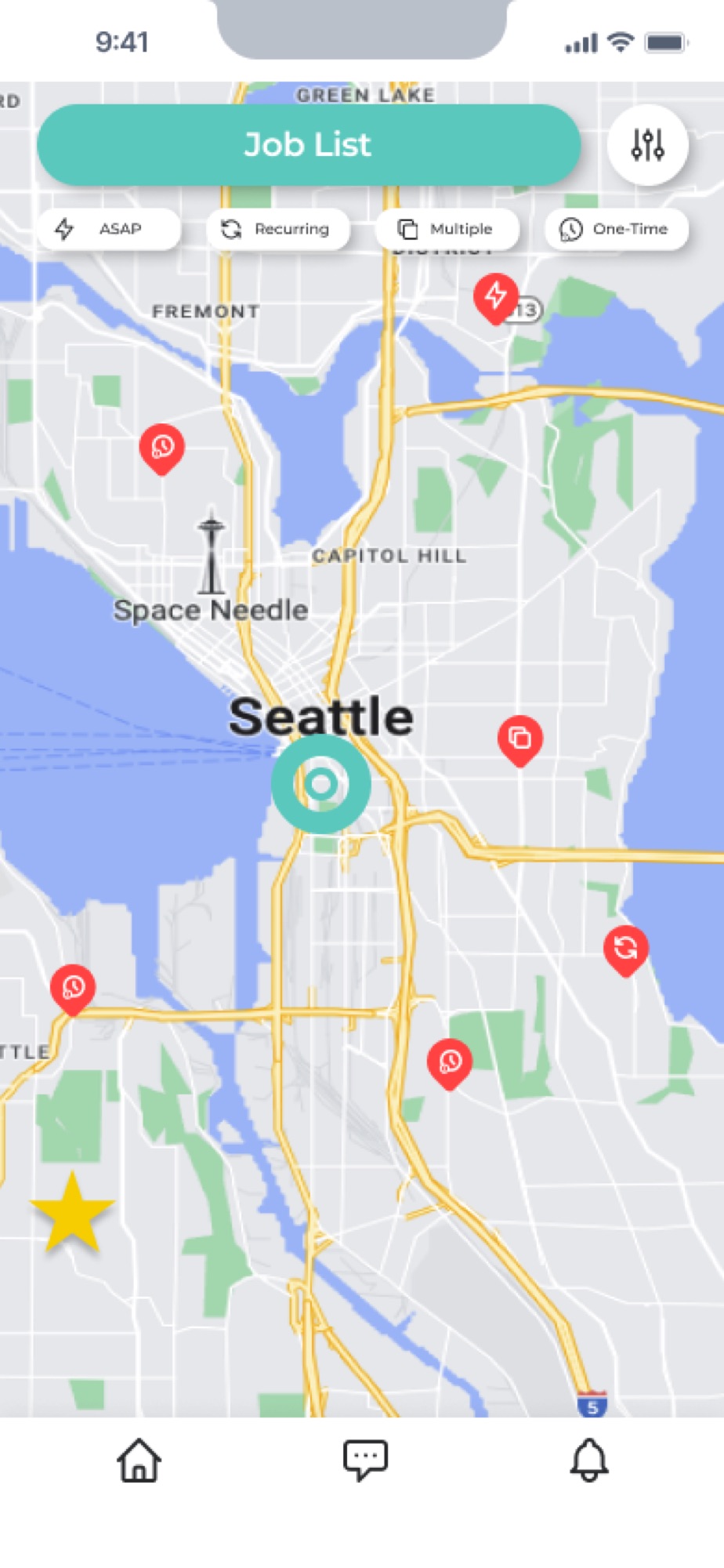
Find jobs nearby, understand each one before accepting, manage the active clean, get paid without friction.

Midway through the project, scope expanded to a full web product. The mobile-first system had to scale to desktop without being rebuilt from scratch.

— 03 / Research

Five rounds of usability testing — on a rolling cycle, while development kept going.

Findings fed directly back into the product. Some scope was added late based on what testing surfaced — a hard rhythm to manage in a mostly-waterfall handoff, but it kept research useful instead of decorative.

30+
Participants across the five rounds, covering customers and cleaners on both mobile and web.
8+.
Screens added mid-build as a direct result of research — features that weren't in the original brief.
Phase 1
Customer booking flow · mobile
16 participants
Phase 2
Customer dashboard · web
17 participants
Phase 3 / 4
Cleaner onboarding & job management · web
15 participants
Phase 5
Full mobile app · both sides, pre-launch
9 participants
How might we

…build a single product that earns trust from customers and cleaners alike — without compromising either experience?

— 04 / Design Decisions

Three decisions that shaped the product.

Each one started in research, hit resistance somewhere in the build, and made it to production because the evidence was undeniable.

Decision 01

Bringing pricing to the surface.

The client wanted pricing hidden until the end of the flow — worried that showing cost too early would scare users off. Research told a different story. Users who hit a surprise total at checkout without context lost trust in the product. Several disengaged entirely.

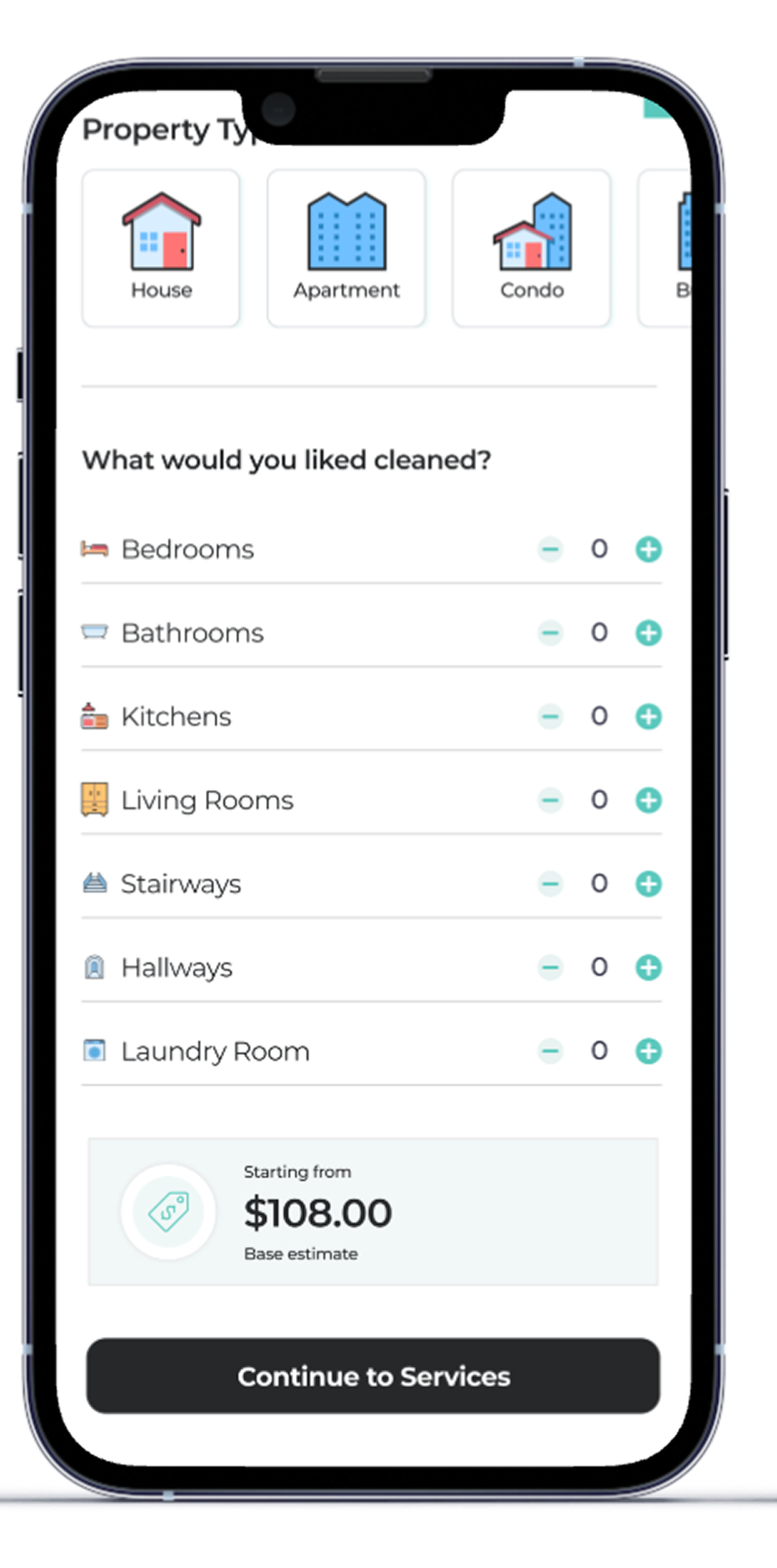
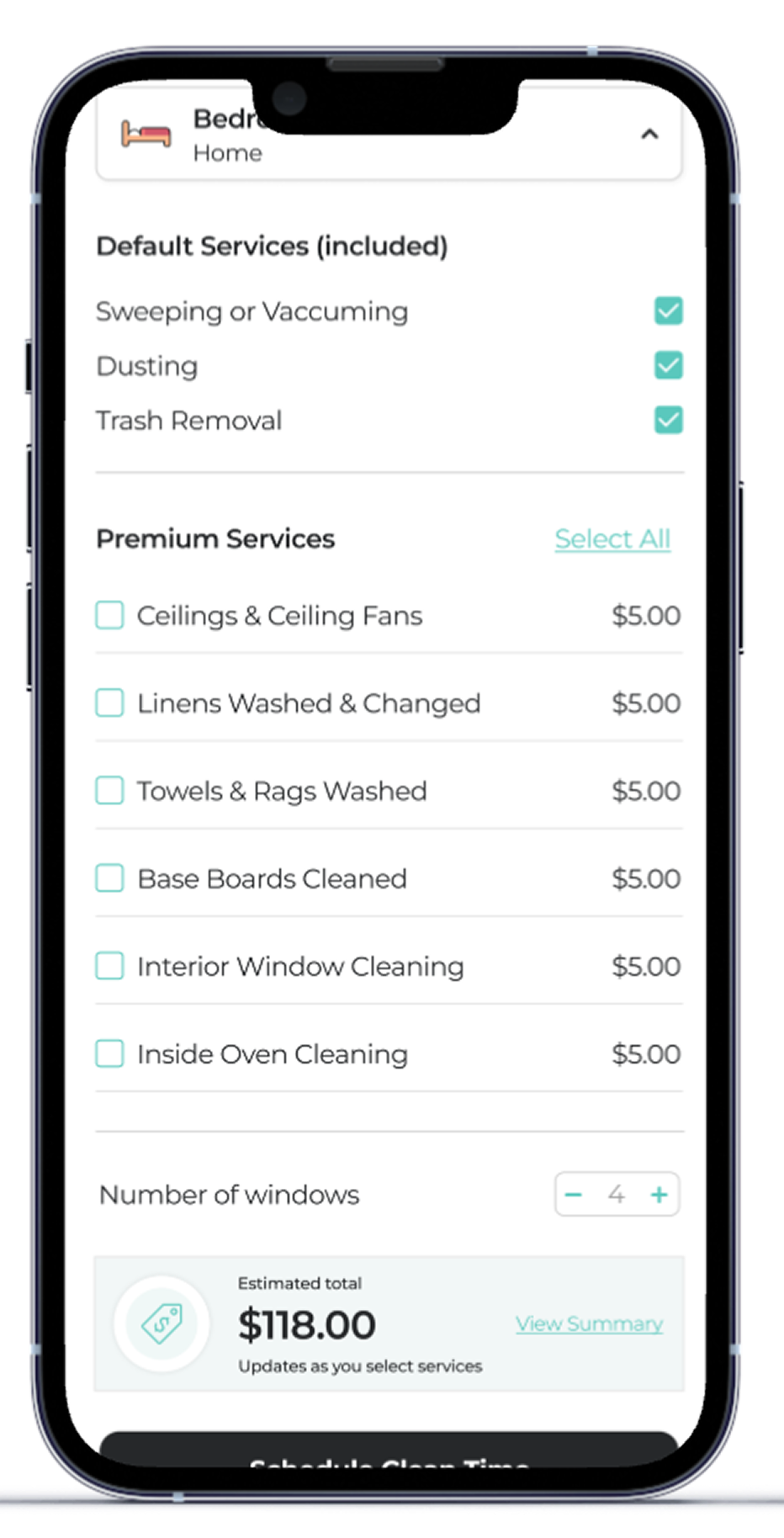
Pricing surfaced earlier and more transparently — individual room prices, base costs, and premium add-ons shown as users built their booking. By the time they reached the Final Quote screen, the total wasn't a surprise — it was a confirmation.

Booking Flow · Customer side Pricing visible at every step — itemized rooms, base costs, premium add-ons — culminating in a Final Quote screen that confirms, not surprises.
Final Quote screen showing itemized pricing breakdown.
The website is very transparent. — Phase 2 tester · customer dashboard round
Decision 02

Building a guide for the actual clean.

Once a cleaner accepted a job and arrived at the property, the app had nothing for them. No checklist. No timer. No way to see what the customer expected, or how to reach support.

A service checklist and progress timer were added to the active job screen — not in the original scope, identified entirely through research. Cleaners track rooms as they go, see elapsed time, access pre-job customer instructions, and reach support directly from the job.

Cleaner side · Current Job Active-job screen with timer, room checklist, and customer info card.
Cleaner side — finding, starting, and completing a job. The active screen gave structure to the work itself, not just the process of finding it.
Decision 03

Giving cleaners control over their work area.

Cleaners had no way to define where they wanted to work. The job feed showed everything available regardless of distance — creating friction for cleaners who only wanted jobs nearby, and reducing match quality for customers.

A dedicated Cleaning Area screen let cleaners set a preferred location — by address, or by drawing a radius directly on the map. A custom radius slider gave precise control over distance. The result: a feed that felt relevant, and customers matched to cleaners genuinely available nearby.

Cleaner side · Cleaning Area Map with teal radius circle and a custom radius slider. One of the most positively received additions in later testing rounds.
Geographic control, straight from research — not in the original brief.
— 05 / Outcome

One designer. Two platforms. A year of work, shipped.

  1. 01

    Customer and cleaner experiences designed in full — mobile app and web, both sides, simultaneously.

  2. 02

    8+ screens added to scope mid-build, driven entirely by research findings — features that wouldn't exist without usability testing.

  3. 03

    Rolling handoff to developers across the full year — annotated Figma files, interaction notes, and component specs updated continuously as the product evolved.

  4. 04

    Critical issues surfaced through structured pre-launch testing before reaching real users.

  5. 05

    A shared design language that scaled across two user types, two platforms, and one marketplace system.

— 06 / Reflection

What I'd do differently.

Tersus was my first real UX/UI project at this scale, and looking back, it shows in how it started. I didn't know about design systems when I began — I jumped straight into designing screens because the project was moving fast and there was pressure to keep up with development.

The component library came later, assembled from work that was already done rather than built as a foundation. If I were doing this again, I'd slow down the first two weeks significantly and build the system before touching a single screen. That upfront investment would have saved far more time than it cost.

The process was also largely waterfall — designs were handed off to development, and when problems surfaced after build, the work came back upstream for revision. On a project this size, with both sides of a platform running simultaneously, that created real pressure. It taught me how much more effective a closer, more iterative collaboration with engineering is compared to a clean handoff model.

Most of all, this project taught me how to learn on the job at speed. I grew significantly as a designer across this year — in systems thinking, in how to run and apply research, and in how to make decisions with incomplete information under a deadline. The things I'd do differently aren't failures. They're exactly what this project gave me.

Next case study

Halving the quote flow — and shipping it.